

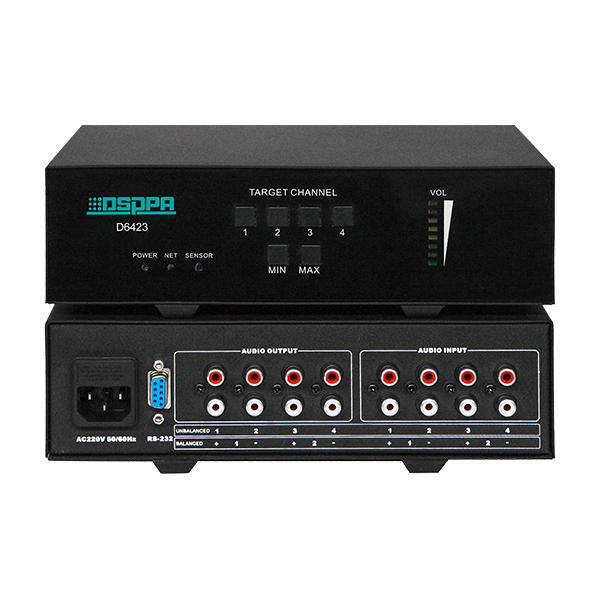
4-channel unbalanced stereo/2-channel balanced stereo volume controller. Users could use with central control devices to control volume.
As is shown in the picture above, there are two row of keys on the front panel. Four keys in the first row are used to activate the channel that needs to be activated. Keys in the second row are used to control volume. "MINI" is to volume down and "MAX" is to volume up. For example, if you need to turn up volume of the first audio input, press "1" and then "MAX".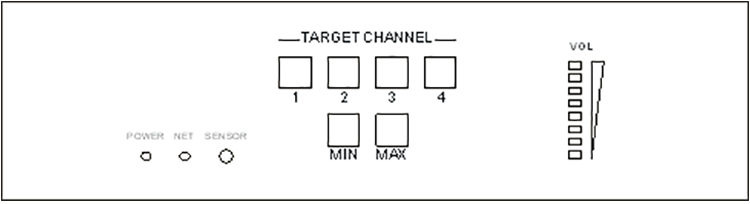
 MAG6242 24-Port Gigabit Network SwitchJanuary 19, 2026The MAG6242 gigabit network switch with 2 optical and 24 electrical ports has 24 Gigabit 10/100/1000M network ports and 2 Gigabit SFP optical slots. It has 64Gbps backplane bandwidth and 42Mpps packet...view
 MAG6808 Network Mixing ConsoleDecember 28, 2022This product is a network mixing console. It has a 7-inch touch screen, with graphic menu and humanized man-machine interface, easy to operate. With 8 programmable buttons. Each button can be preset w...view
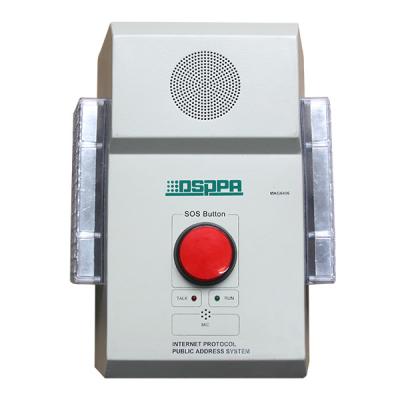 MAG6406 IP Network SOS Terminal with Amplifier (wall-mount type)November 8, 2017Network wall mount alarm terminal MAG6406 is a TCP / IP transmission protocol based on the network of all-digital analog signal processor, while the network for the signal transmission medium to reali...view
we will contact you within 24 hours.
 DSPPA Network PA System Applied in Hangzhou G20November 29, 2016September 4, 2016, G20 summit opened in Hangzhou. Distinguished guests from different countries, international organizations, leaders all gathered in Hangzhou to discuss international events. It is a ...view
 DSPPA | Donation of Cultural Relics to Heyuan City MuseumMay 16, 2022On the morning of May 12th, the donation of cultural relics from Wang Heng & Feng Jie and the opening ceremony of "Immortal Cultural Relics - Exhibition of Exquisite Cultural Relics Donated by Wang Heng & Feng Jie" was held in the Heyuan City Museum.view
 EN
EN
 ar
ar
 bn
bn
 fr
fr
 ms
ms
 de
de
 th
th
 id
id
 hi
hi
 pt
pt
 ru
ru
 es
es
